Prerequisites
Ensure you have the latest version of WorldShip (WS28.0.703 or higher) installed before processing Global Checkout shipments with Quote IDs. To create a Quote ID directly in WorldShip, WS29.0.104 or higher is required.
Process a shipment with Quote ID
There are two ways to process a Global Checkout shipment in WorldShip:
- Retrieve Quote ID — Use a Quote ID generated externally (e.g., from your ecommerce platform) and retrieve it in WorldShip.
- Create Quote ID in WorldShip — Generate a Quote ID natively inside WorldShip without an external source.
Retrieve Quote ID
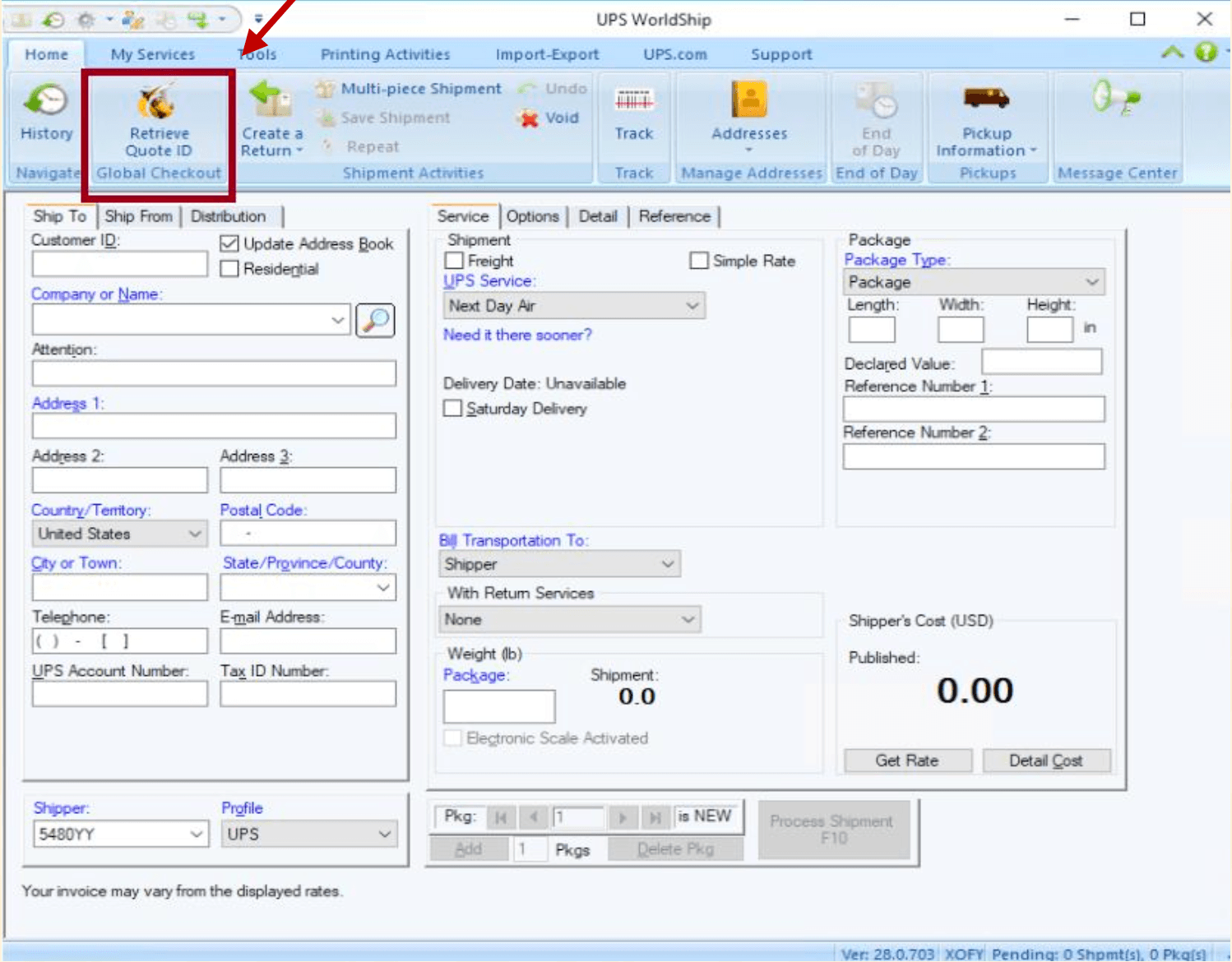
- Click on Retrieve Quote ID tab on the main ribbon
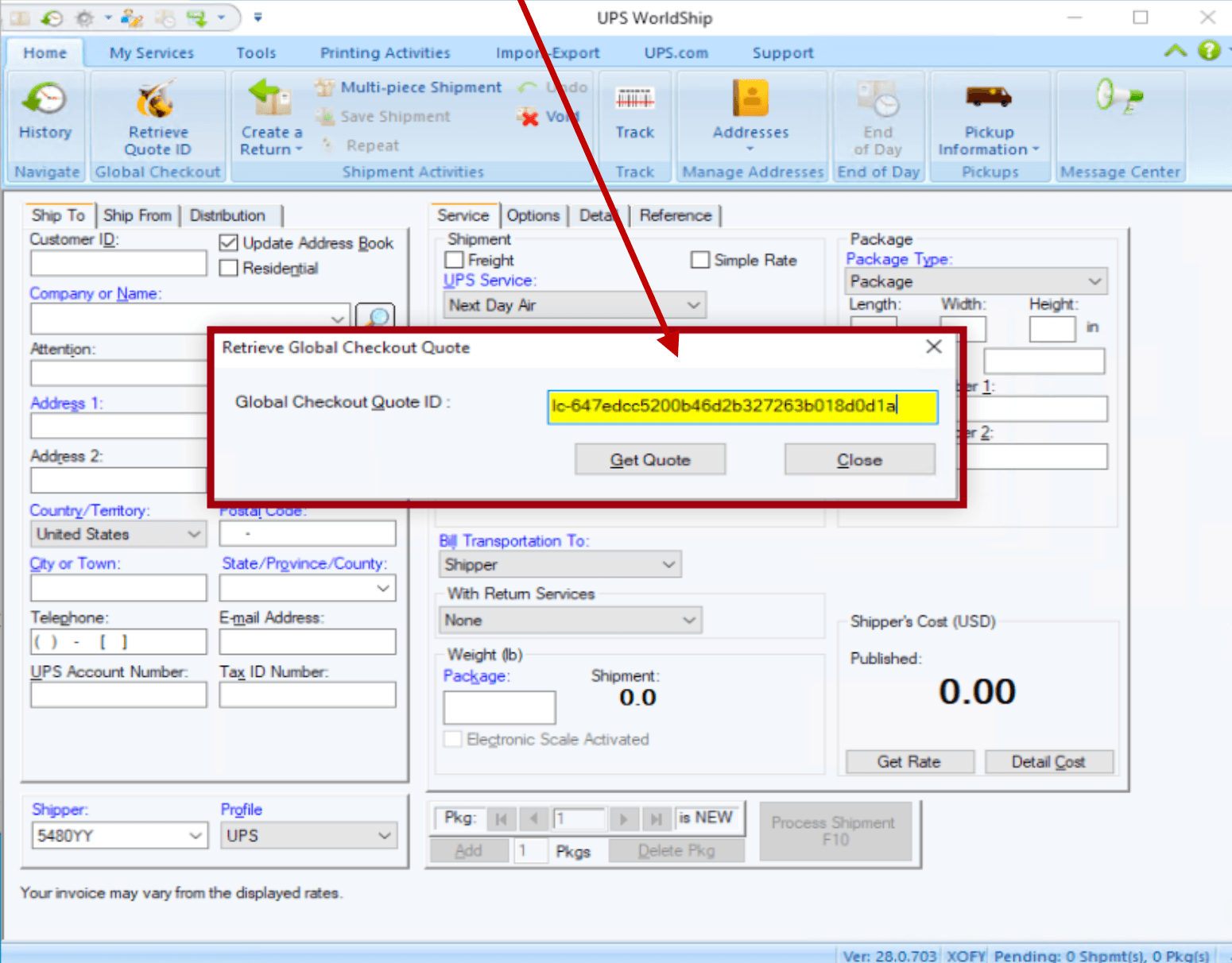
A new Retrieve Global Checkout window will open. Enter your externally created Quote ID in the Global Checkout Quote ID text box
- Click Get Quote after entering a valid Quote ID
Complete shipment details
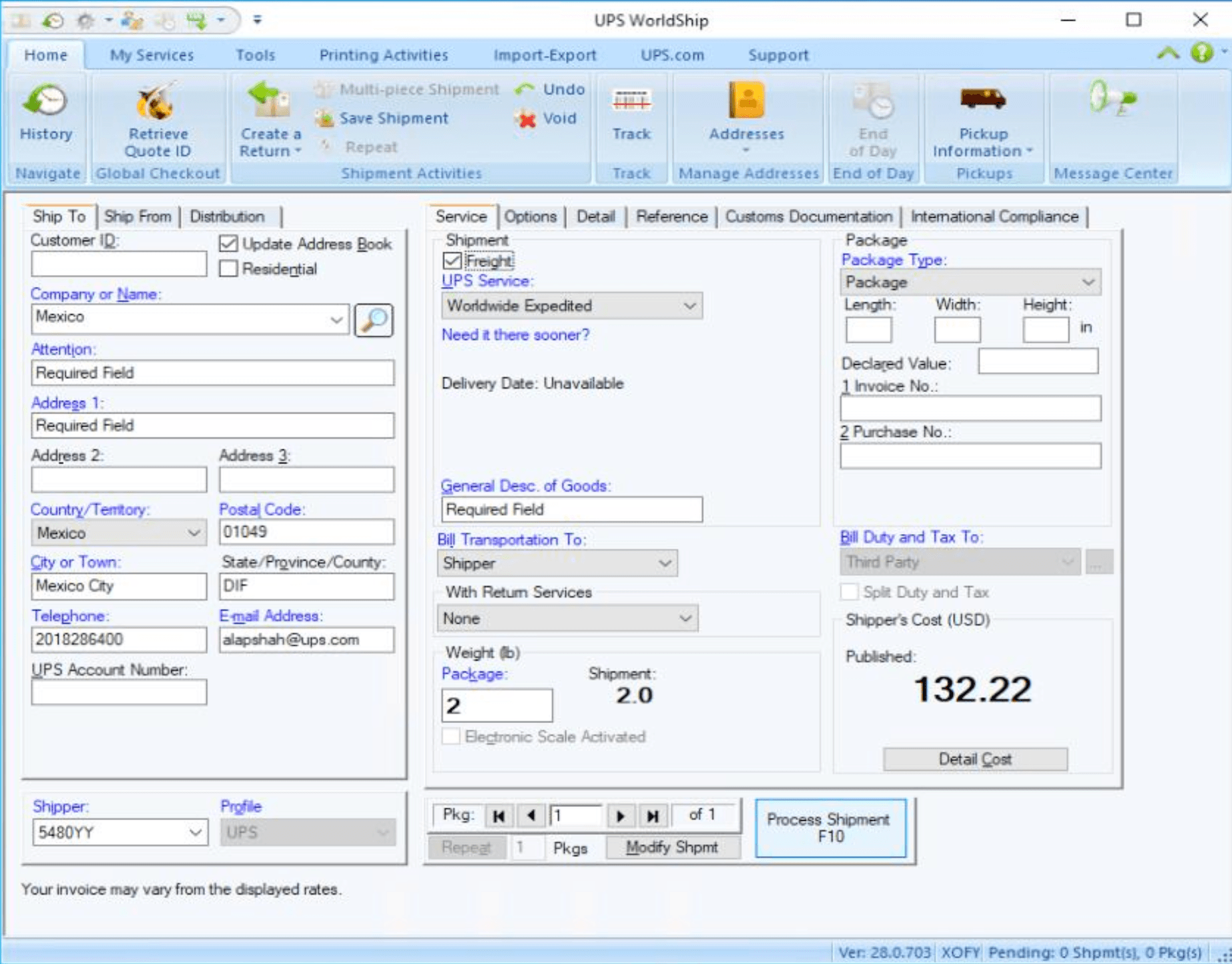
WorldShip will retrieve the quote information and populate relevant fields. Enter all required fields to process the shipment (fields marked in blue are required).
Verify Guaranteed Landing Cost
You can check the Guaranteed Landing Cost by clicking the Get Cost button under the Customs Documentation tab.
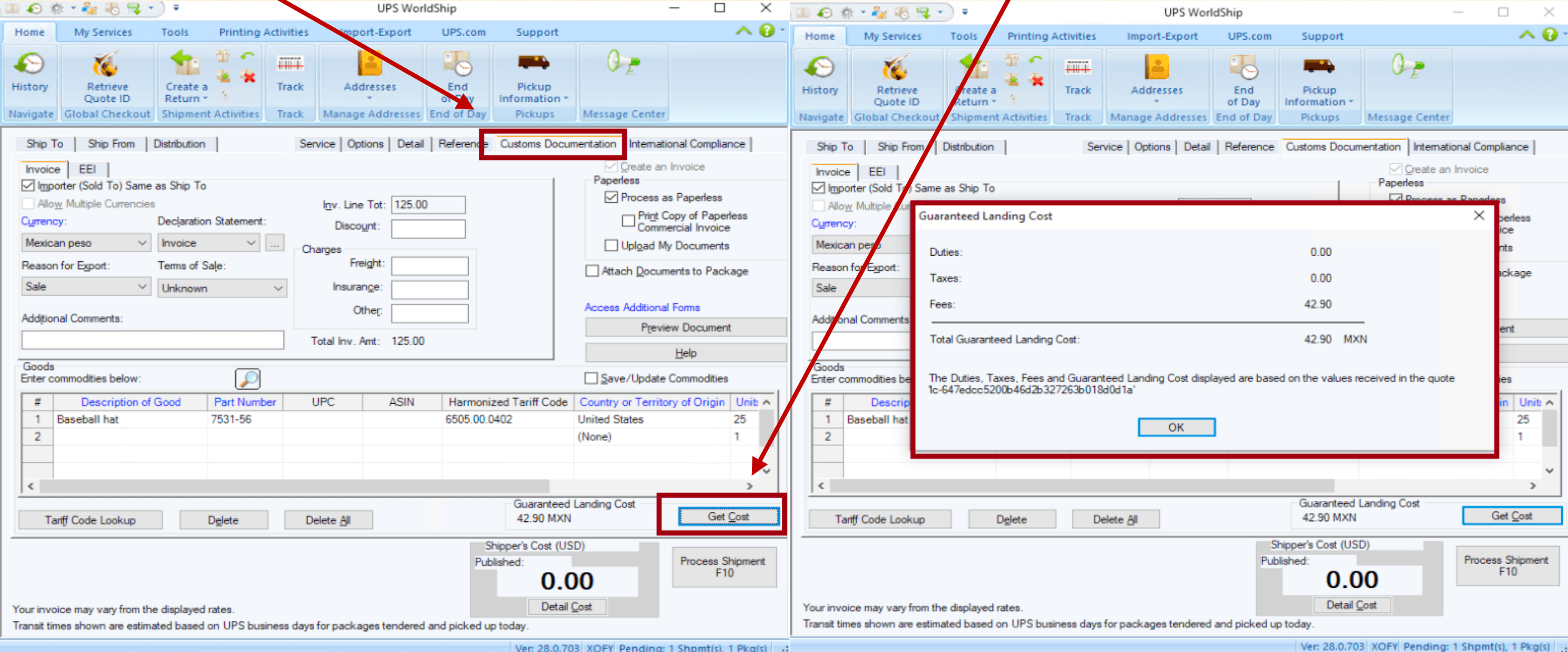
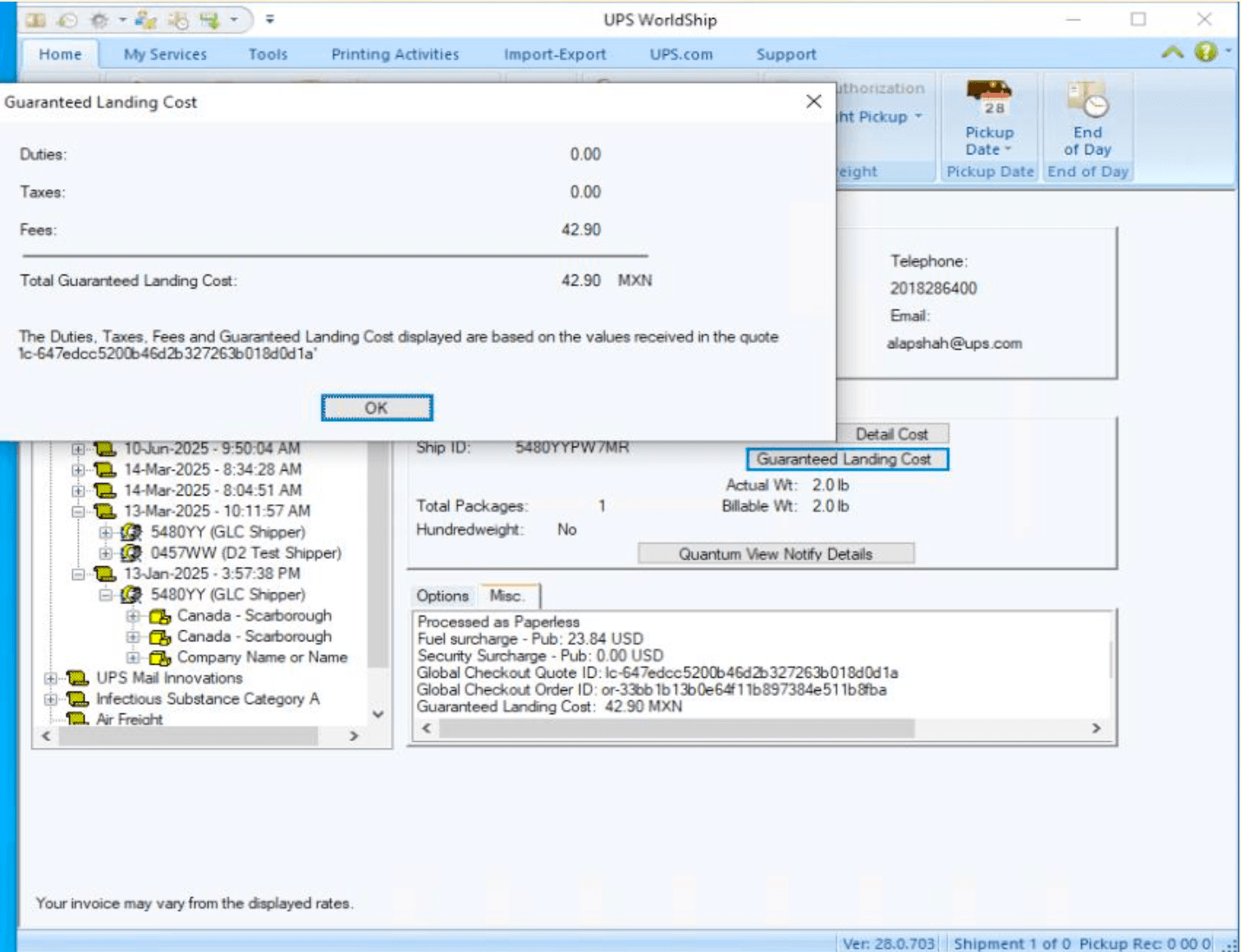
A Guaranteed Landing Cost window will display detailed cost information including duties, taxes, fees, and the total guaranteed landing cost.
Process the shipment
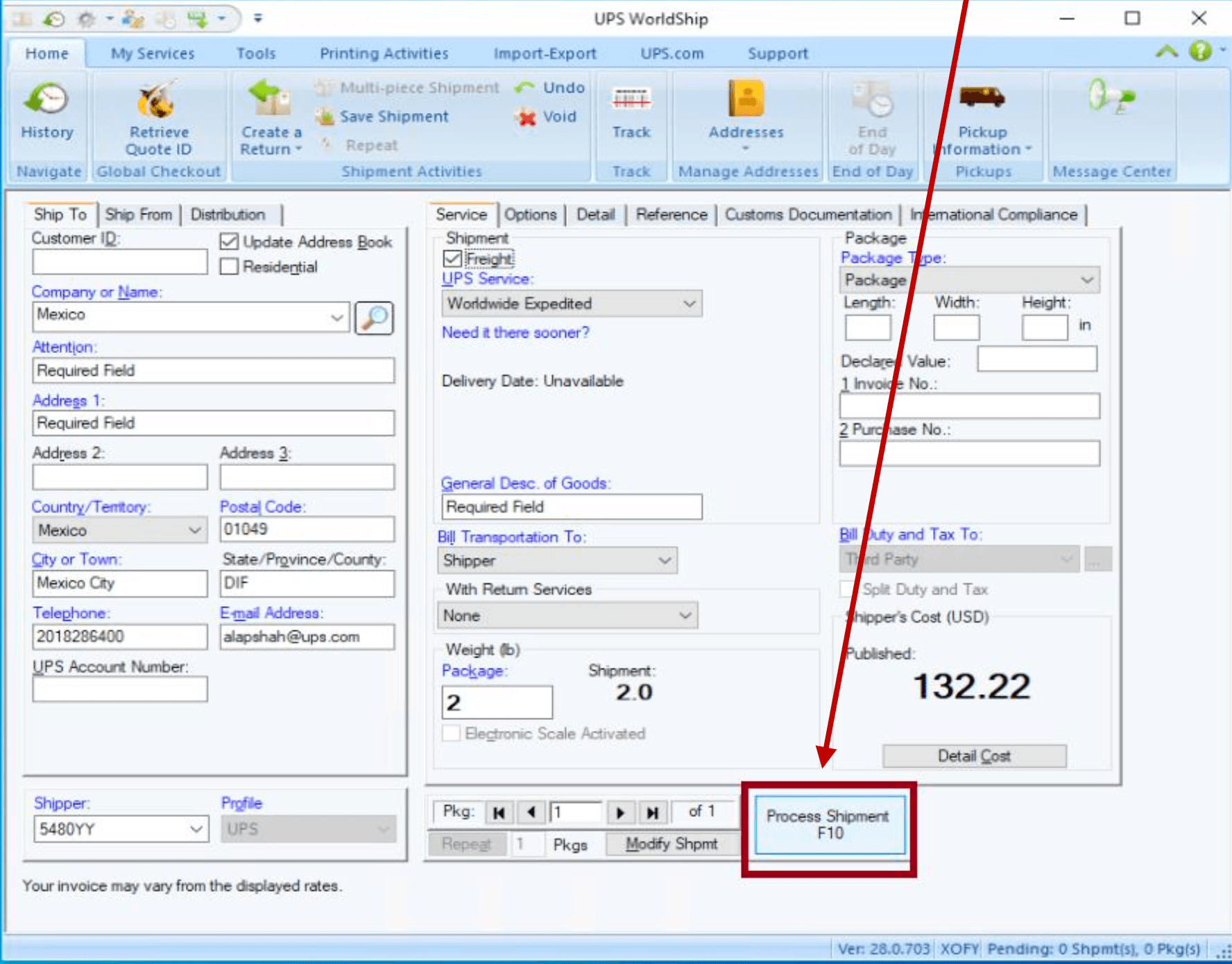
Once all required fields are entered, click Process Shipment F10 to complete the shipment.
Create Quote ID in WorldShip
Use this workflow if you don't have an externally created Quote ID. WorldShip will generate the Quote ID for you during shipment processing. Requires WorldShip WS29.0.104 or higher.
Create an international shipment and enter all required fields (fields marked in blue are required)
Under the Options tab, select Global Checkout under Shipment Options
Navigate to the Customs Documentation tab and enter commodity details including description of goods, part number, UPC, ASIN, harmonized tariff code, country of origin, and unit quantity
Click Get Cost to open the Guaranteed Landing Cost window. The Quote ID generated by WorldShip is displayed at the bottom of this window.
- Click OK to close the window, then click Process Shipment F10
View shipment history
After the shipment is processed, you can view it in the History section.
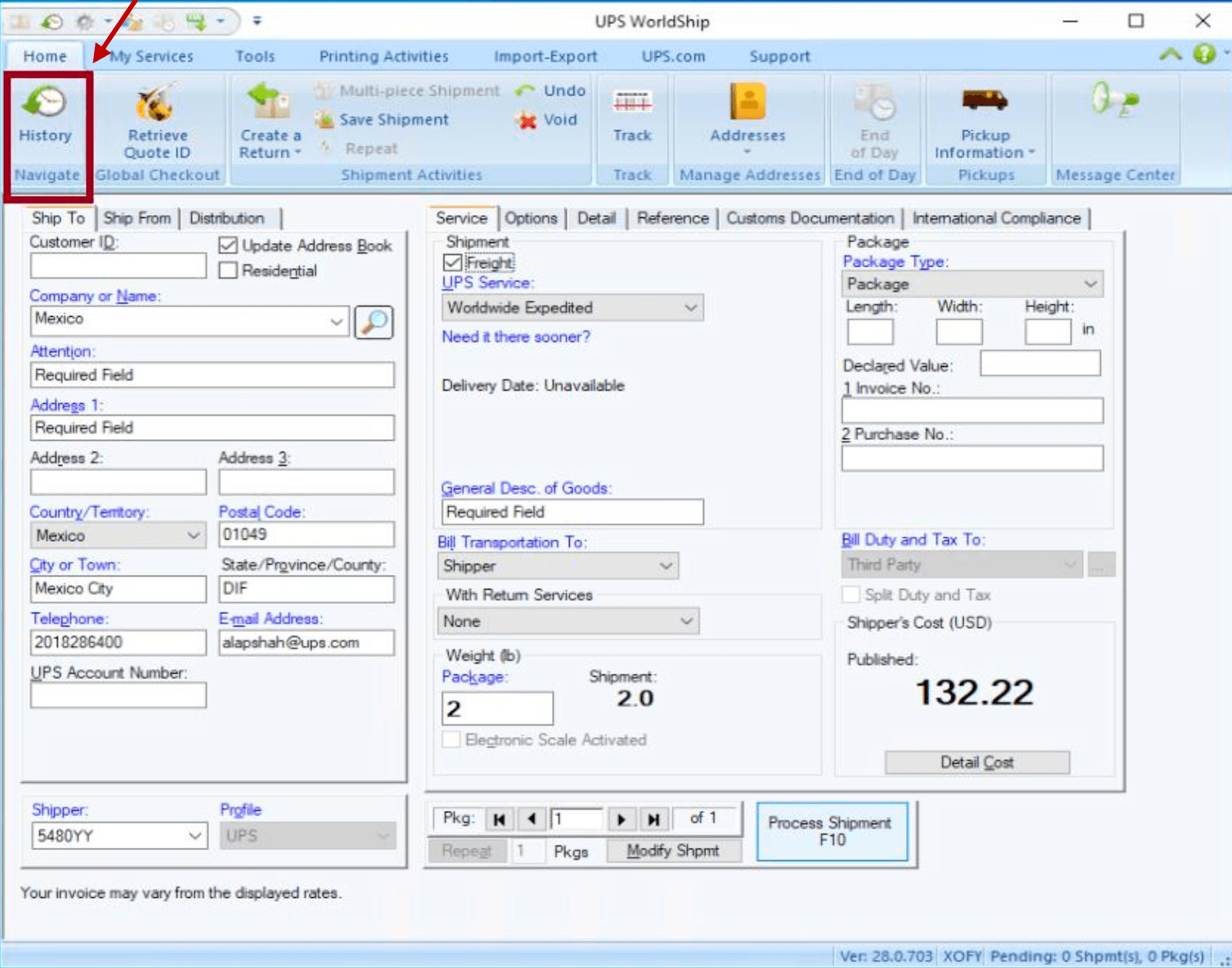
- Click History on the main ribbon
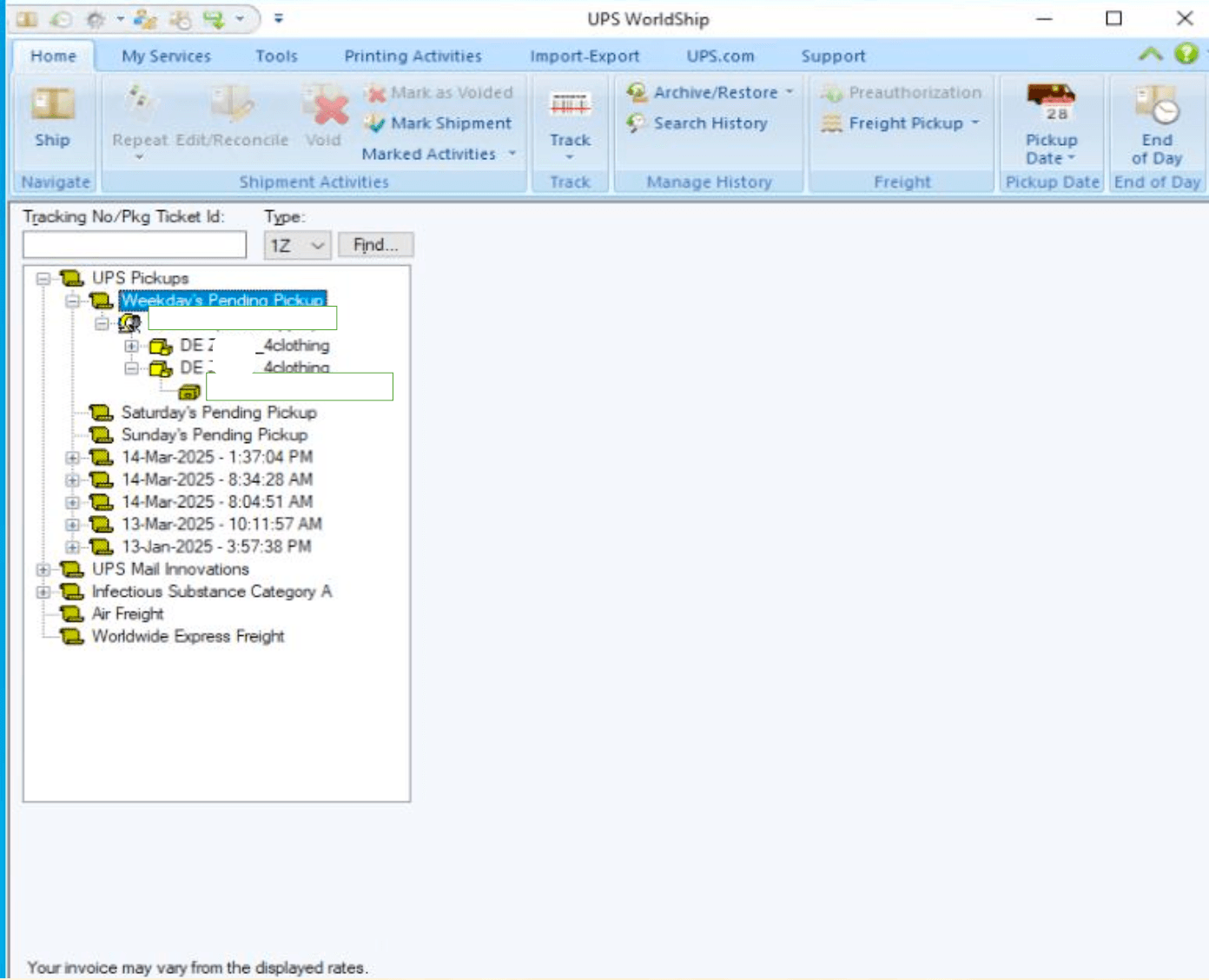
In the shipment history, select the most recently processed Global Checkout shipment
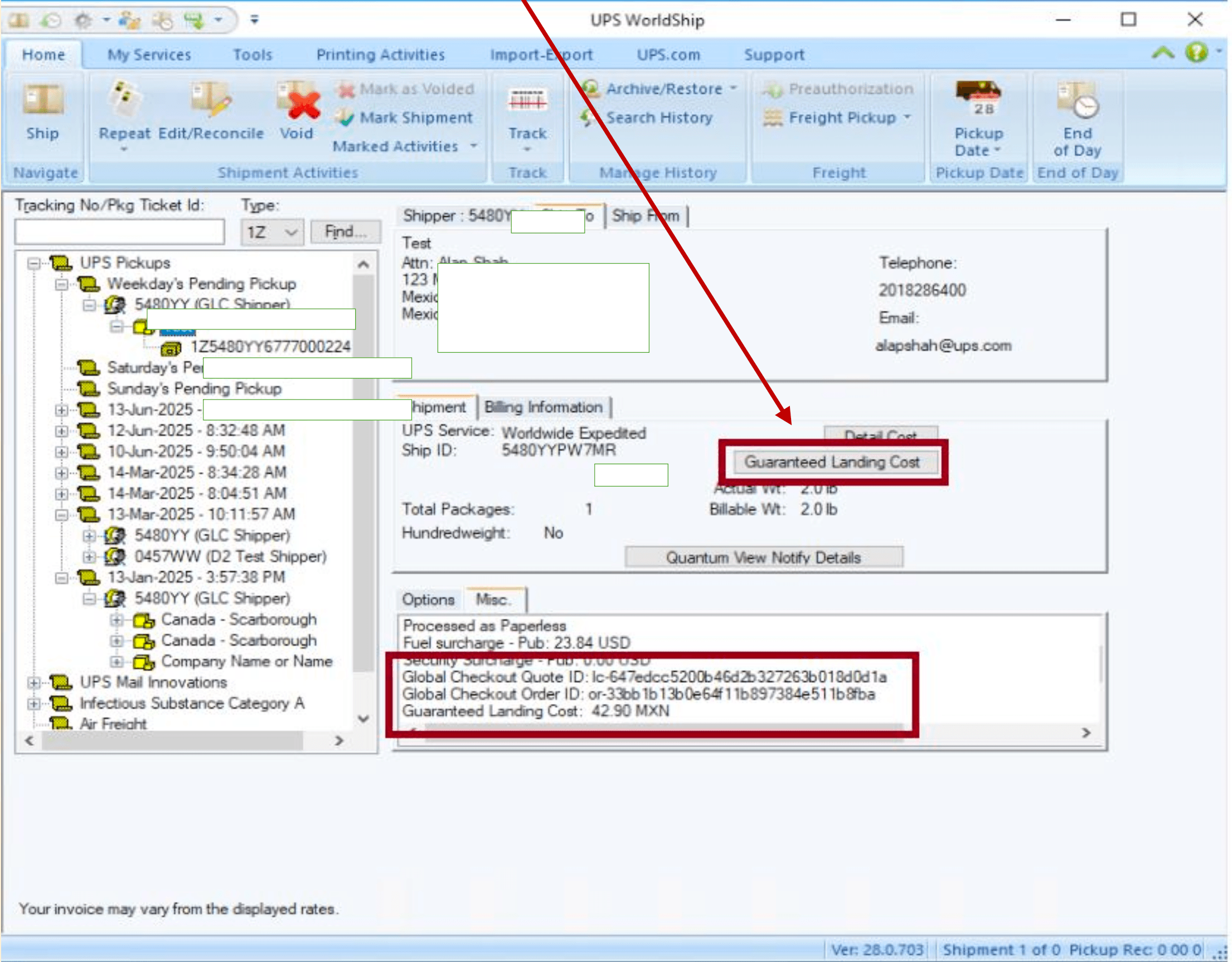
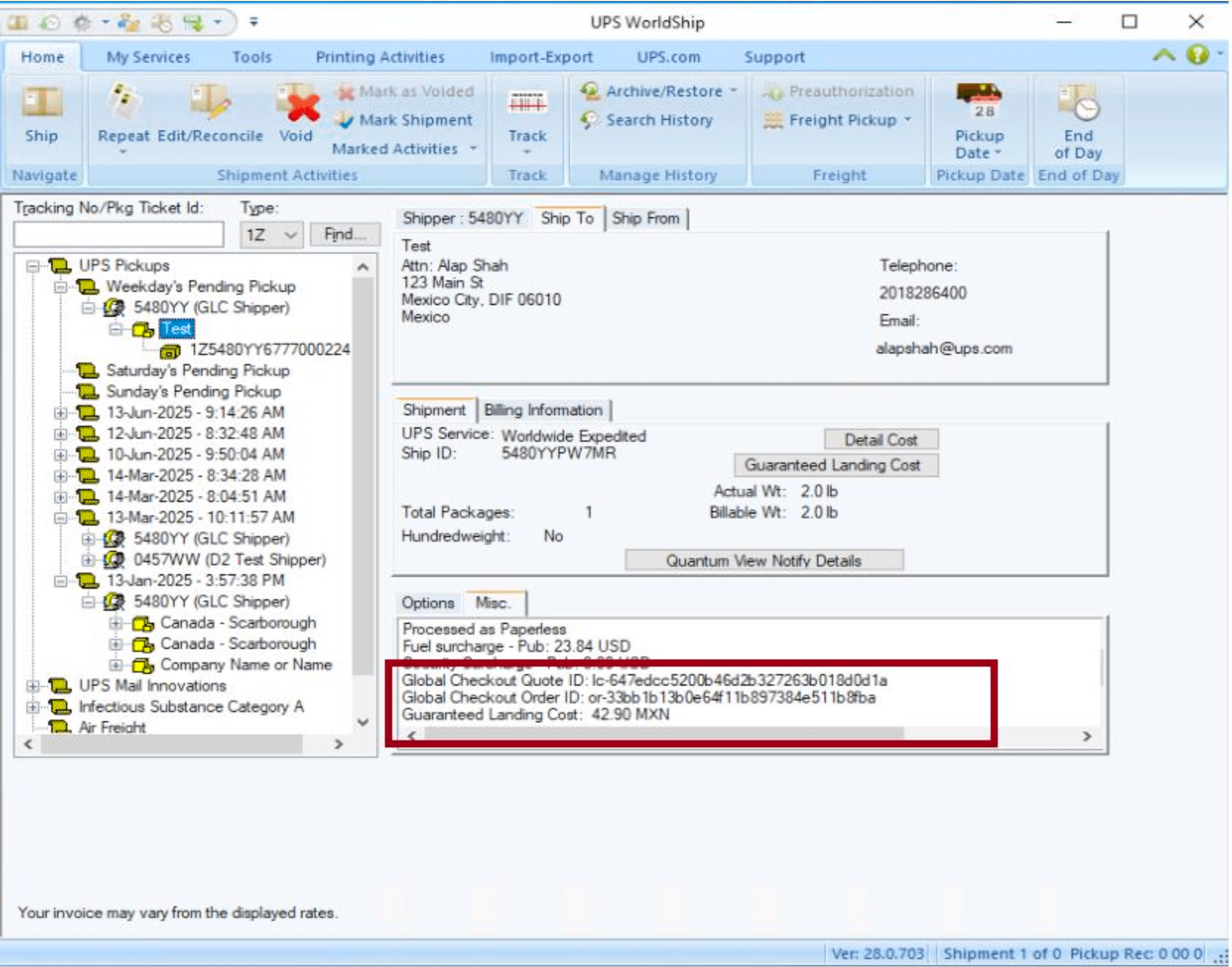
The Guaranteed Landing Cost will be displayed in the Misc. tab in shipment history. Click the Guaranteed Landing Cost button to view detailed cost information.
The detailed cost window displays duties, taxes, fees, and the total guaranteed landing cost.
The Global Checkout Quote ID, Global Checkout Order ID, and Guaranteed Landing Cost are all displayed in the Misc. tab for reference.
End of Day process
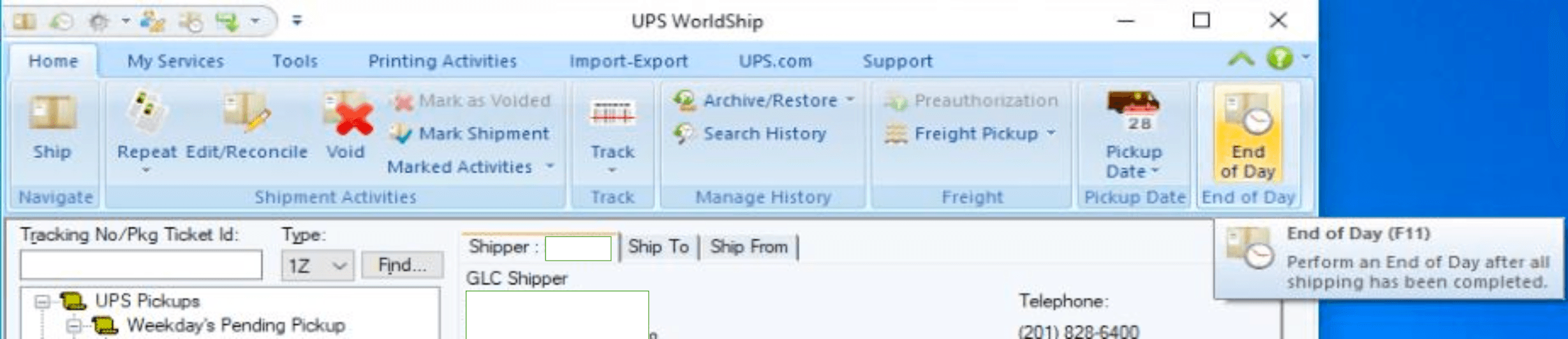
Once you have verified all shipment information, click End of Day. After End of Day is processed, a PLD (Package Level Detail) file will be generated with all shipment information.
PLD File Location: C:\ProgramData\UPS\WSTD\PLD
UPS WorldShip Quote ID setup
Learn how to process UPS Global Checkout™ shipments with Quote IDs in WorldShip.